
C++ sort and binary_search: Rules and Complexity
Learn C++ sort, binary_search and lower_bound with clear examples, safe missing-result checks, duplicate values and simple complexity explanations.
What you will learn
- Sort a vector using the normal ascending order.
- Explain why binary search needs a compatible ordered range.
- Use lower_bound and check whether a match exists.
- Write a strict comparison for a record field.
- Compare one-off search with sorting before repeated searches.
Sorting puts values into a useful order
Imagine a list of page numbers: seven, two, five and two. A plain search can inspect them one by one. A sorted list puts the smaller numbers first, which can make later tasks easier. std::sort changes the order of elements in a range. For ordinary integers without a custom comparison, the result is ascending order. Repeated values remain present; sorting is not the same as removing duplicates.
In this lesson, begin and end describe the whole vector. The boundary end is not included. After sorting, our four values become two, two, five and seven. The vector still has four elements. If arrival order matters to another part of your program, make a copy and sort that copy instead. Do not silently replace meaningful input order just because sorted output looks neater on screen.
A comparison tells an algorithm which value should come before another. The default integer comparison is less-than. Later we use a small lambda to compare a field inside a record. Start with the plain integer version and write the expected order by hand. Understanding that small result matters more than memorizing a complicated comparison expression before you know what it is meant to promise.
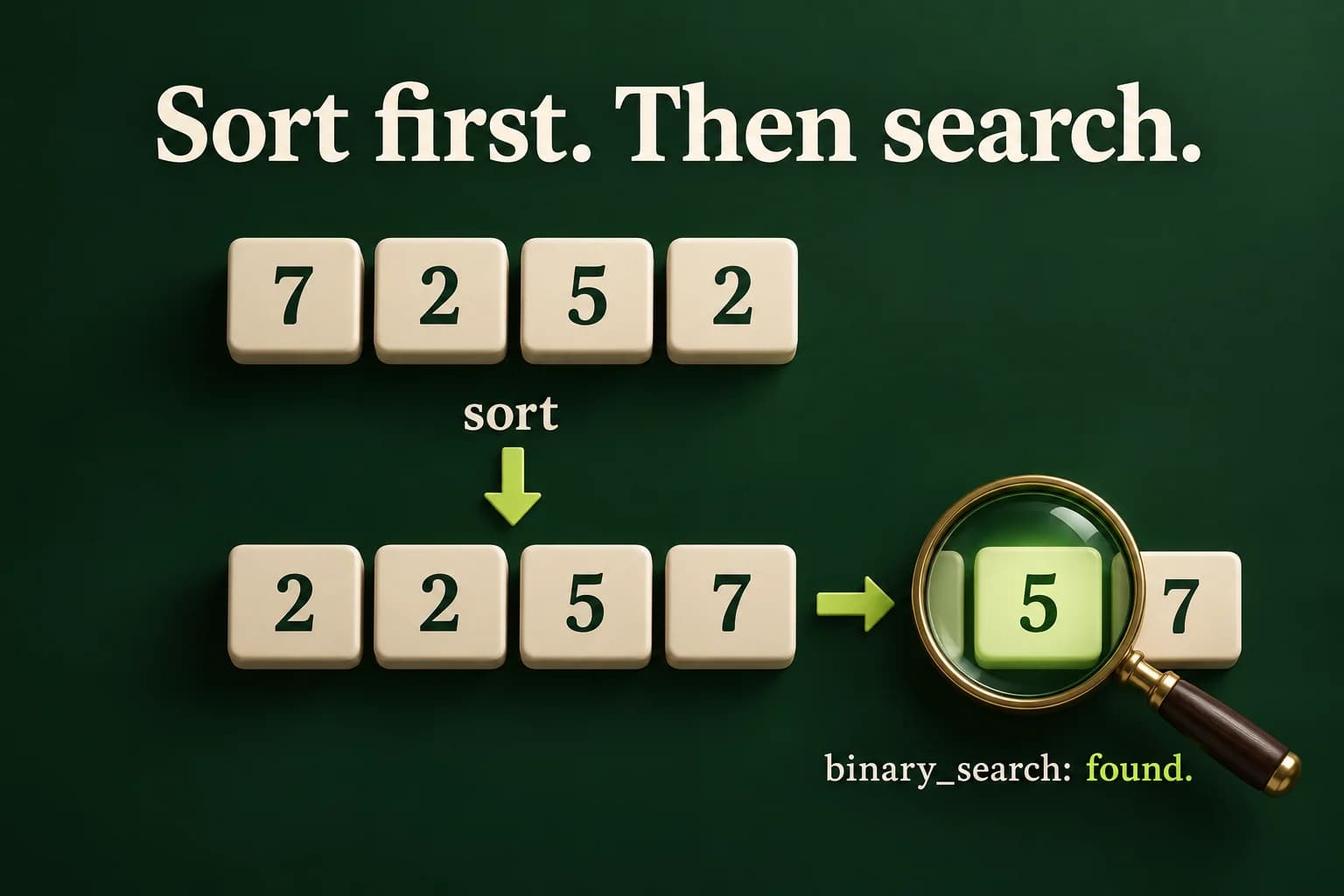
Sort first, then ask whether a value exists
binary_search reports a bool. It does not return the matching element's iterator.
Predict the output, edit the source, then select Run code.
Compare with the starter's expected output
Sorted: 2 2 5 7
Has 5: true
Has 4: false
After editing inputs, calculate a new prediction; this reference describes only the starter.
Why order matters to the search
A linear search such as find checks values until it finds a match or reaches the end. Binary search uses the order to narrow the possible area. If the middle value is below the target, an ascending range lets the search ignore the earlier part. Without the required ordering, that reasoning is not valid. We use a fully sorted range with the same comparison as a simple, sufficient rule for these examples.
Do not test binary_search on arbitrary unsorted data and memorize whatever result appears. Violating an algorithm's required range conditions is not a reliable way to learn its meaning. Repair the program before running it: either sort the range with the matching comparison, or use find when you do not want to change or copy the input. A result that happens to look right once does not establish the rule for other input.
The example first sorts, then asks about five and four. Five is present and four is missing. boolalpha makes the answers easy to read. Notice that binary_search does not tell you which of several equal values it found. If your next step needs an iterator, use a suitable algorithm such as lower_bound and check the result. Searching for presence and finding an insertion position are related but different questions.
- Start with 7, 2, 5, 2.
- sort changes the vector to 2, 2, 5, 7.
- binary_search for 5 returns true.
- binary_search for 4 returns false; no element is inserted.
A lower bound is not always a match
The first element not less than four is five. Check equality as well as the end boundary.
Predict the output, edit the source, then select Run code.
Compare with the starter's expected output
Not found
After editing inputs, calculate a new prediction; this reference describes only the starter.
Check both the boundary and the value
For an ascending integer range, lower_bound returns the first position whose value is not less than the target. That can be the target, a larger value, or end. In the example, four is absent, but five is the first value not less than four. Checking only that the iterator is not end would incorrectly report a match. The equality check answers the second question: is this actual value the one we requested?
The condition uses && so the equality test is reached only when the iterator is not end. This protects the dereference. Search for eight and the position is end; search for two and it is the first two. Duplicate values are allowed. The lab reports the first matching index, starting at zero. Explain the difference between an index and a one-based position before converting output for a human-facing interface.
An empty sorted vector is a valid search range. Its begin and end are equal, and lower_bound returns end without a matching element. There is no need to read front, back or index zero to handle that case. Keep the same checked condition for both empty and nonempty ranges. Good boundary handling often lets one small piece of code cover several cases without adding an unsafe special branch.
Sort records by a clear field
Use <, not <=. This example gives every record a different priority, so no tie order is assumed.
Predict the output, edit the source, then select Run code.
Compare with the starter's expected output
Read
Build
Write
After editing inputs, calculate a new prediction; this reference describes only the starter.
Keep the comparison strict and consistent
A sorting comparison must follow a consistent strict ordering. For this task, a.priority < b.priority says that a comes first only when its number is smaller. A value does not come before itself under this rule. Using <= would say that equal values come before each other, breaking the required rule. Do not run an invalid comparator to get an interesting demonstration; repair it before using the sorting algorithm.
std::sort does not promise to preserve the original order of equal-priority records. Use stable_sort when preserving that tie order is part of the requirement, or define another comparison field when a specific order is needed. For a large input, sort uses O(n log n) comparisons. On a vector, binary-search algorithms use logarithmic comparisons and efficient jumps. These names describe how work grows as the input grows, not exact timing on your computer.
Sorting has a cost and changes order. For one search in an unsorted sequence, a linear find can be the simpler plan. For many searches against mostly unchanged data, sorting once may be useful. Do not call sort again before every query without thinking about that cost. This lesson's lab deliberately sorts once and searches once to teach the contract; it does not claim that this is the fastest plan for one small request.
Report the sorted values and first matching index
Read a count from zero through eight, that many integer values in minus one hundred through one hundred, and one target in the same range. Use complete lines and validate before reporting. Sort the vector once. Print Sorted and its values, then use lower_bound to print Index with the first matching zero-based index, or Not found when the checked position is not an equal value.
Test duplicates, a target smaller than every value, a target between values, and a target larger than every value. Include empty data and a one-element match. Bad syntax, a missing target and an out-of-range required number must print Invalid input with status one. Keep duplicates in the sorted row. The goal is a correct, explainable search, not a surprising transcript from an algorithm used outside its rules.
Run the same program on your computer
Save one complete example as main.cpp. Choose your installed compiler and run only after a successful build. These are terminal commands, not C++ source. The in-page Run button needs the configured compiler sandbox.
macOS / Linux:
clang++ -std=c++20 -Wall -Wextra -Wpedantic main.cpp -o lesson
# Or use g++ with the same options.
./lesson

Windows Developer Command Prompt:
cl /std:c++20 /EHsc /W4 main.cpp /Fe:lesson.exe
lesson.exeIndependent lab
Sort a bounded sequence and find the first matching zero-based index safely.
Acceptance checklist
- Read count 0..8, that many values -100..100, then a target -100..100 on whole lines.
- Reject invalid required input as Invalid input with status 1 before reporting.
- Sort once in ascending order and print every value, including duplicates.
- Use lower_bound with both end and equality checks.
- Print the first matching Index or Not found; handle an empty range without indexing it.
Need a hint?
- Use the default ordering for both sort and lower_bound.
- A position before end can still point to a value larger than the target.
- Subtract begin from a checked vector iterator to obtain the zero-based index.
Write and run your lab
Build your own solution before revealing the reference. Use the input field for normal, boundary and invalid cases; this runner executes your program but does not grade it.
Predict the output, edit the source, then select Run code.
Your lab evidence and notes
Record predictions, actual output, commands and the cause of each repair. Code is plain text: this scratchpad does not execute or grade C++.
Loading local notes…
Review your acceptance checklist and quiz explanations before marking this lesson complete. This is self-review, not a grade or certification.
Reveal the explained lab solution
Reference lab solution
Compare the reference with your own reasoning. Running this solution does not grade or complete the lesson.
Predict the output, edit the source, then select Run code.
Expected output
Sorted: 2 2 5 7
Index: 0
All required input is validated before sort or output, so a bad target cannot produce a partial success report.
The sorted range satisfies the ascending lower_bound rule. Repeated targets are located at their first matching position.
The end check happens before dereferencing. Equality prevents an insertion position for a missing value from being mistaken for a match.
Review before moving on
Explain the lesson's objectives in your own words, compare your lab evidence with the acceptance checklist, and keep the first failing case alongside your repair. Completing a page is not proof that every C++ feature or input is supported.
- Sort a vector using the normal ascending order.
- Explain why binary search needs a compatible ordered range.
- Use lower_bound and check whether a match exists.
- Write a strict comparison for a record field.
- Compare one-off search with sorting before repeated searches.
References and further reading
Original examples and exercises accompany these primary references. Tool-specific diagnostics and support depend on your installed version.