
C++ Classes and Objects: Encapsulation
Learn C++ classes and encapsulation by designing a bounded quantity with private state, checked mutation, const queries and rejection-without-change tests.
What you will learn
- State an invariant as a condition every usable object must satisfy.
- Separate public operations from private representation.
- Reject an update before performing unsafe arithmetic.
- Use a const query without exposing a mutable reference.
- Test both accepted updates and unchanged state after rejection.
A class protects rules, not just a collection of fields
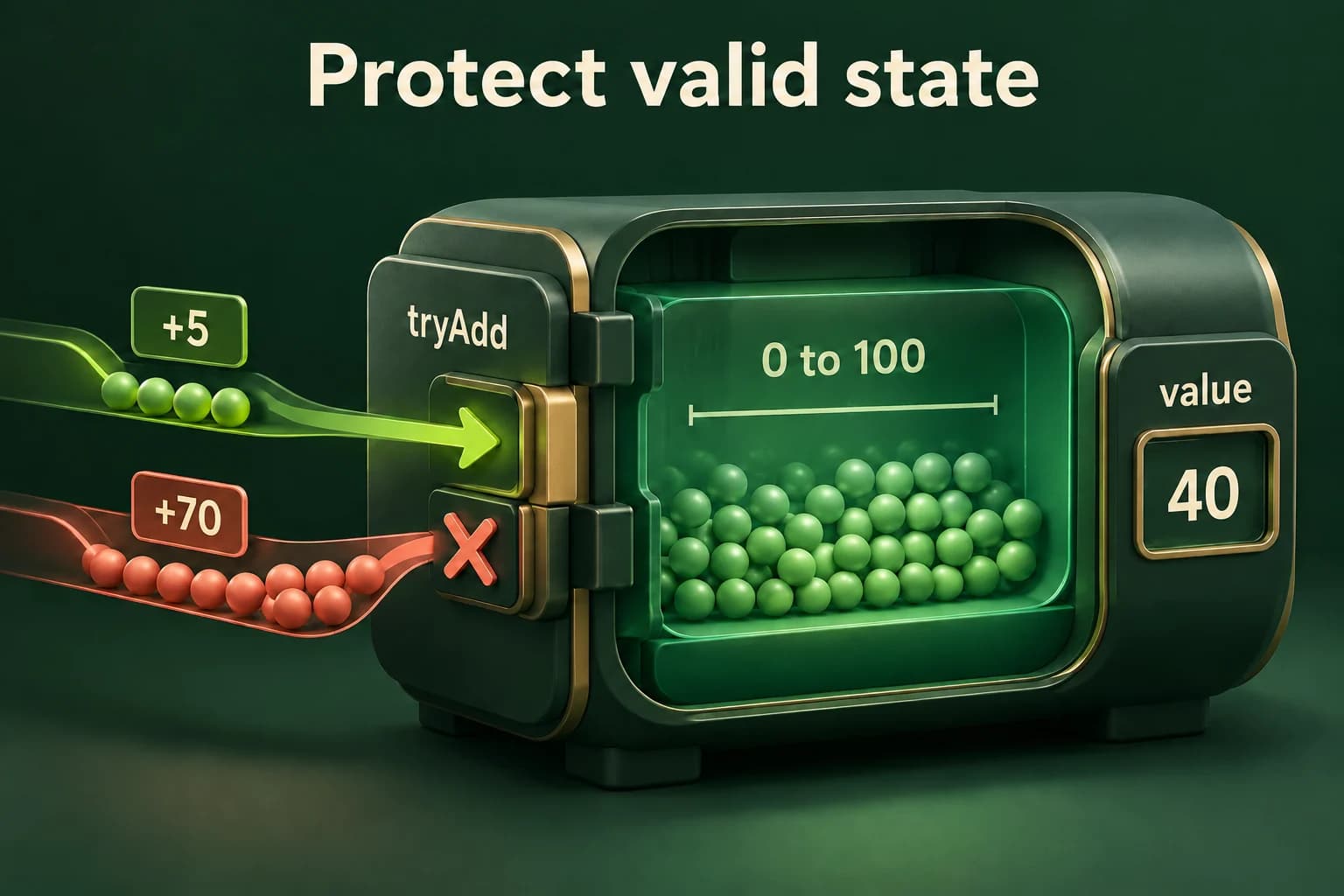
The previous task record grouped a title and status, but callers could still replace its public title with an invalid empty string. A class becomes useful when the program needs a rule to hold after every supported operation, not merely after one input parser. That persistent rule is an invariant. For Quantity, the rule is simple and precise: its value is always an integer from zero through one hundred, including both endpoints.
Start with the rule before choosing methods. A default Quantity begins at zero; a successful addition or removal must leave another value in the same interval. An unsuccessful operation must report rejection and leave the old value unchanged. That last promise is part of the contract, not a cosmetic detail. A caller should not need to inspect or repair partially modified state after a request the object says it rejected.
class and struct can both have members, constructors and access sections. Their relevant default-access difference is that class members start private while struct members start public. Changing the keyword alone does not produce a good design. The important decision is which operations callers may request and which internal changes only the implementation may perform. Use a public value record when direct independent member access is appropriate, and a controlled interface when preserving a relationship matters.
Expose useful operations instead of unrestricted setters
Place value_ in the private part and expose value(), tryAdd() and tryRemove(). Each Quantity object has its own stored integer. Calling value() returns a copy of that integer rather than a writable reference to the internal member. The caller can inspect the number but cannot use the returned integer to assign directly into the object. This preserves a narrow route for changes through the checked operations.
A setter that accepts every integer would simply reopen the hole the class was supposed to close. Even a range-checked setter may express the wrong operation when the domain talks about adding and removing stock. Method names should describe what the caller is requesting and what failure means. A bool result works for this small contract because the only distinction needed is accepted versus rejected; a richer application might need a named error reason.
The trailing const on value() means the query does not modify ordinary non-mutable members through this object. It also permits the query on a const Quantity. This is a language-level access contract, not a promise that every imaginable side effect is impossible. Our query performs no I/O, touches no mutable state and returns an integer value, so it is a straightforward read-only operation. The composition lesson explores how such queries fit together.
Accept one update and reject another without damage
Forty is accepted from zero. Adding seventy would exceed the invariant, so the rejected operation preserves forty.
Predict the output, edit the source, then select Run code.
Compare with the starter's expected output
First accepted: 1
Second accepted: 0
Stored: 40
After editing inputs, calculate a new prediction; this reference describes only the starter.
Validate the requested change before calculating a new value
Checking value_ + amount against one hundred looks natural, but that expression can overflow before the comparison when amount is an arbitrary large int. Instead first reject a negative amount, then compare it with the remaining room, one hundred minus value_. The invariant already proves that subtraction is between zero and one hundred. Only after this check succeeds is adding amount safe and consistent with the accepted range.
Removal follows the same pattern: reject a negative amount and any amount greater than the current value before subtracting. There is no need to calculate an invalid negative result and clamp it afterwards. Clamping would silently change the requested operation. A request to remove thirty from ten is rejected under this contract, not converted into a request to remove ten. State that policy clearly so callers and tests can rely on it.
Zero is a valid request here. Adding or removing zero succeeds and leaves the object unchanged. That differs from a rejected request, which also leaves it unchanged but returns false. Tests must therefore check both the result and the stored value. Looking only at the final number would fail to distinguish a legitimate no-op from a refused action, making the interface less useful to any caller that needs to explain what happened.
Repair an attempt to bypass the interface
Intentional compile error. Change the client to call tryAdd(5) rather than making the representation public.
Predict the output, edit the source, then select Run code.
Private does not mean cryptographically protected or universally valid
Access control helps ordinary C++ code respect an interface; it is not a password system, memory sandbox or protection against undefined behavior elsewhere. A member function can still contain a bug that violates its own class invariant. The class author must review every construction and mutation path. Encapsulation concentrates that review into a smaller surface rather than proving correctness automatically or making validation unnecessary.
Avoid handing out a mutable reference or pointer to value_ through another method. That would allow a caller to write an invalid value without going through either check. Also avoid using a public helper that performs unchecked updates simply because its name sounds internal. The implementation boundary should be visible in access control and behavior, not only in a comment asking clients to be careful.
This Quantity uses ordinary value semantics: copying its integer gives another independent bounded value, and the generated assignment operation copies a state that is already valid for this type. Not every multi-member invariant is preserved so easily by generated operations. As classes gain resources or relationships between members, revisit what copying and moving mean. The Rule of Zero lesson will separate resource ownership from other domain rules instead of promising that one slogan solves both.
Test transitions and rejection, not just one final number
The lab reads two whole integer lines, an addition request followed by a removal request, then applies them to a default zero quantity. Missing or malformed required input prints Invalid input and returns status one before either operation occurs. Well-formed but disallowed requests are ordinary rejected operations: they produce a rejected label while the program still completes its report with status zero. Distinguish parsing failure from the object's update policy.
Test adding zero, adding one hundred, exceeding one hundred, removing exactly the stored quantity, removing too much and requesting a negative update. Include the largest representable int to check that the addition guard does not overflow. After an addition is rejected, removal must observe the unchanged zero state rather than a partially computed value. Extra lines after the two requests are outside this one-report protocol and remain unread.
For a repair exercise, make a copy of the example, temporarily replace tryRemove's boundary check with an unconditional subtraction, and test a removal larger than the quantity. Explain which invariant is broken and restore the guard before keeping the program. Do not run an overflow experiment to demonstrate the addition bug; reason about the unsafe expression and use the valid implementation for all executable tests. Predicting failures safely is part of learning to design robust interfaces.
Build and investigate locally
Complete single-file programs use the compiler-backed editor when its sandbox is available. Otherwise save one program as main.cpp and build with your installed C++20 compiler. Expected output is a comparison target, not a substitute for execution.
macOS / Linux (choose your compiler):
clang++ -std=c++20 -Wall -Wextra -Wpedantic main.cpp -o lesson
# Or: g++ -std=c++20 -Wall -Wextra -Wpedantic main.cpp -o lesson
./lesson

Windows Developer Command Prompt:
cl /std:c++20 /EHsc /W4 main.cpp /Fe:lesson.exe
lesson.exeIndependent lab
Implement a zero-initialized quantity in 0..100, then process an addition and removal without permitting a rejected operation to change state.
Acceptance checklist
- Keep the integer private and provide a const value query returning an int.
- Implement tryAdd and tryRemove with validation before arithmetic or mutation.
- Read two complete integer lines; malformed or missing input prints Invalid input and returns 1 before operations.
- Print Add and Remove as accepted or rejected; validly parsed requests finish with status 0 even when rejected.
- Print the final Quantity and test exact endpoints, zero, negatives and excessive requests.
Need a hint?
- Use amount > 100 - value_ after the negative guard instead of calculating a potentially overflowing sum.
- A failed operation returns before writing the stored value.
- Check both the bool result and the post-operation quantity in each scenario.
Write and run your lab
Build your own solution before revealing the reference. Use the input field for normal, boundary and invalid cases; this runner executes your program but does not grade it.
Predict the output, edit the source, then select Run code.
Your lab evidence and notes
Record predictions, actual output, commands and the cause of each repair. Code is plain text: this scratchpad does not execute or grade C++.
Loading local notes…
Review your acceptance checklist and quiz explanations before marking this lesson complete. This is self-review, not a grade or certification.
Reveal the explained lab solution
Reference lab solution
Compare the reference with your own reasoning. Running this solution does not grade or complete the lesson.
Predict the output, edit the source, then select Run code.
Expected output
Add: accepted
Remove: accepted
Quantity: 30
Parsing completes before state changes, separating invalid text from a validly parsed but refused request.
Each checked operation preserves the invariant on both outcomes, including requests near the integer representation boundary.
The query returns a value rather than exposing writable storage; zero requests are accepted no-ops, not failures.
Review before moving on
Explain the lesson's objectives in your own words, compare your lab evidence with the acceptance checklist, and keep the first failing case alongside your repair. Completing a page is not proof that every C++ feature or input is supported.
- State an invariant as a condition every usable object must satisfy.
- Separate public operations from private representation.
- Reject an update before performing unsafe arithmetic.
- Use a const query without exposing a mutable reference.
- Test both accepted updates and unchanged state after rejection.
References and further reading
Original examples and exercises accompany these primary references. Tool-specific diagnostics and support depend on your installed version.