
HTML Forms
Collect information with labels, controls, and validation.
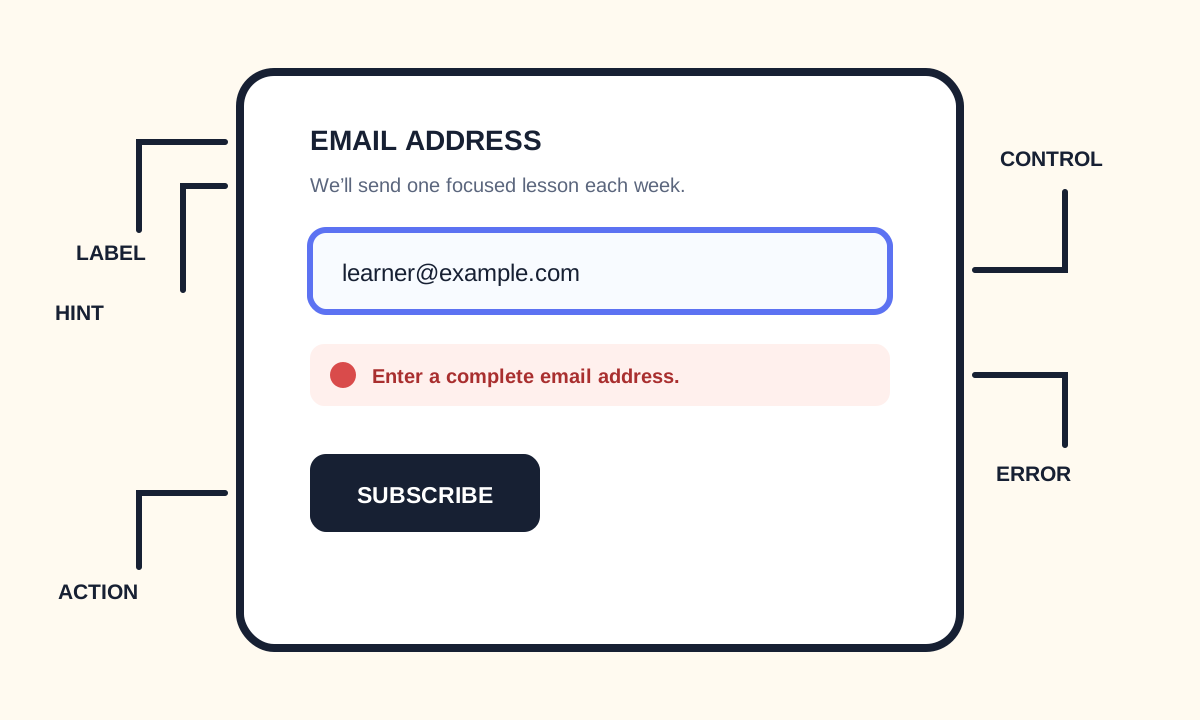
Forms collect and submit information. A dependable form gives every control a visible label, chooses a useful input type, sends a stable name/value pair, communicates instructions and errors, and never relies on color or placeholder text alone.
Connect labels, controls, and submitted data
Use label for visible names and match its for value to the control id. Add name so the value is included in submission. Choose email, url, date, number, or another type when its built-in behavior matches the data.
<form action="/subscribe" method="post">
  <label for="email">Email address</label>
  <p id="email-hint">We’ll send one lesson update each week.</p>
  <input
    id="email"
    name="email"
    type="email"
    autocomplete="email"
    aria-describedby="email-hint"
    required
  >
  <button type="submit">Subscribe</button>
</form>- Give every input a persistent visible label.
- Use name for submitted data.
- Use autocomplete tokens for familiar personal data.
- Keep instructions available after the user types.
- Use button type=button for non-submit controls.
Group choices and communicate validation
fieldset and legend give a group of related controls one shared question. Native required, min, max, minlength, pattern, and input types provide a useful baseline, but server validation is still essential because client constraints can be bypassed.