
HTML Accessibility
Build a strong semantic baseline for accessible experiences.
Accessible HTML gives more people a reliable way to perceive, understand, navigate, and operate a page. Native elements already include roles, keyboard behavior, names, and states; your job is to choose them correctly, preserve a logical order, and supply the information that content alone cannot express.
Build names, roles, states, and relationships
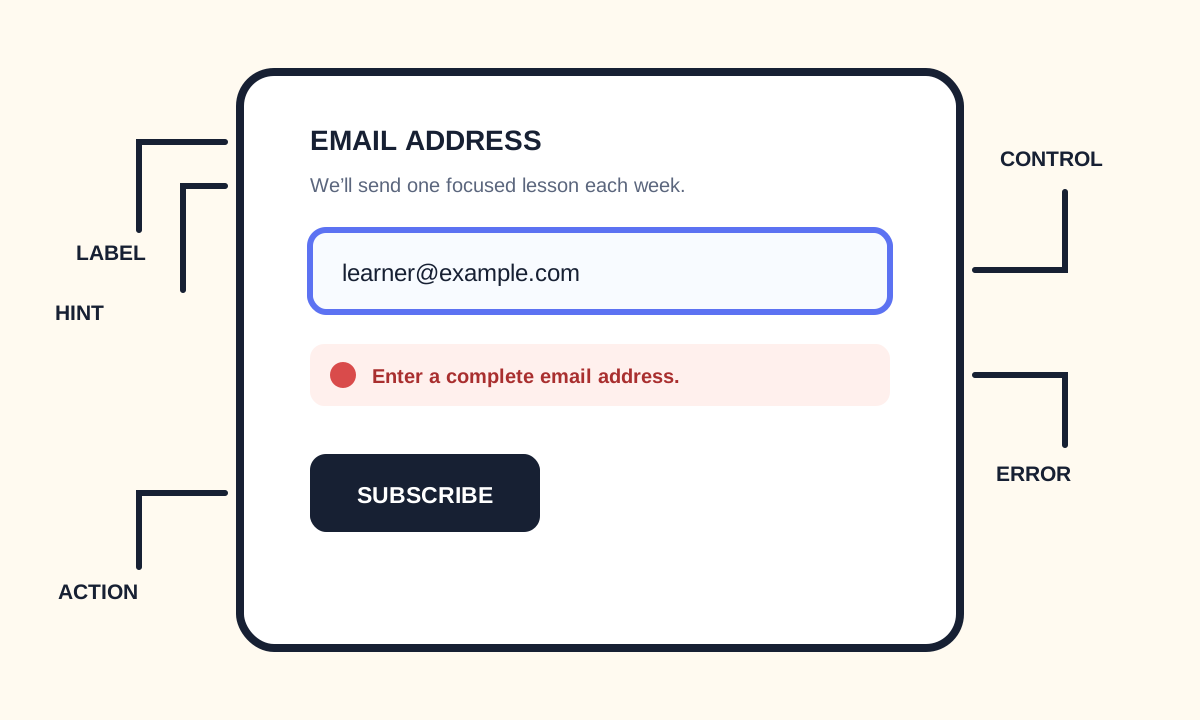
Every interactive control needs an accessible name. Native text often provides it; labels name form controls; alt names informative images; headings name sections; and legend names groups. Use ARIA only when native HTML cannot express the required relationship.
<nav aria-label="Primary">
  <a href="/courses">Courses</a>
  <a href="/projects">Projects</a>
</nav>

<label for="search">Search lessons</label>
<input id="search" name="query" type="search">

<button type="button" aria-pressed="false">Save lesson</button>- Use native interactive elements.
- Give controls and landmarks useful names.
- Preserve logical source and focus order.
- Never remove visible focus without a replacement.
- Do not use color as the only signal.
Test with multiple methods
Automated tools catch missing labels, duplicate IDs, contrast failures, and invalid ARIA, but they cannot judge every heading, alt decision, instruction, or interaction. Combine validation and automation with keyboard, zoom, screen-reader, and real-user review.