
HTML Elements
Use elements and nesting to give content a meaningful structure.
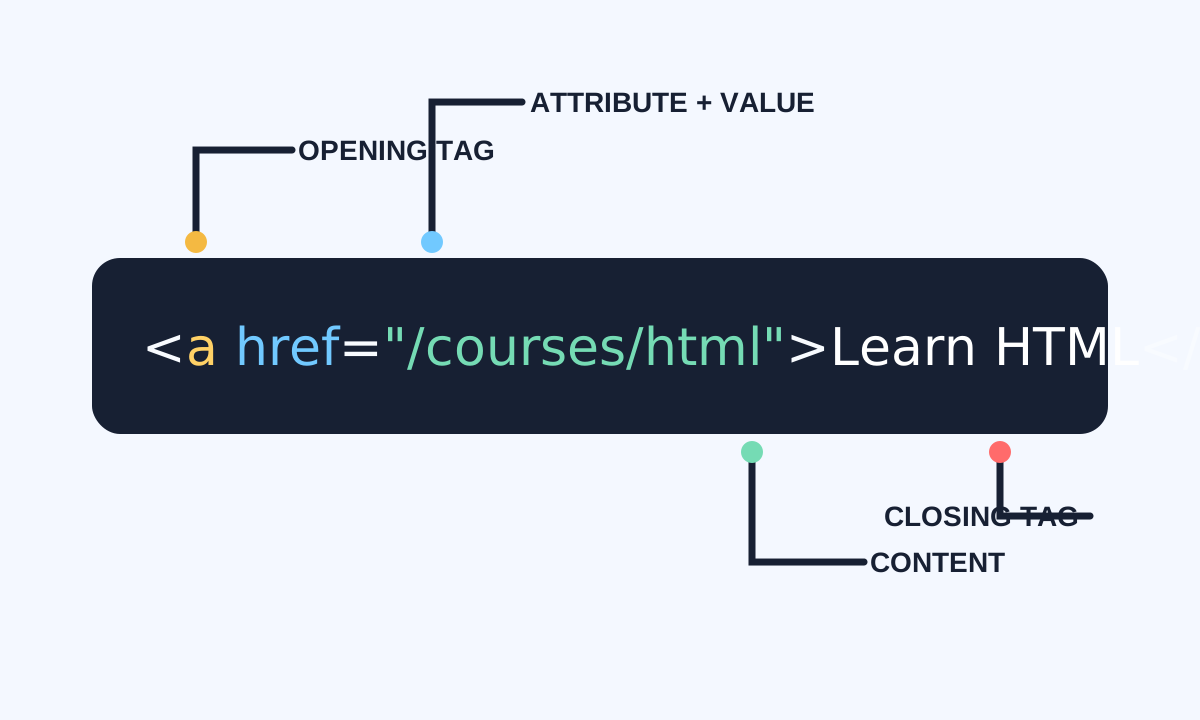
HTML elements identify the role of content. Most combine an opening tag, content, and a closing tag; some void elements represent a value or external resource without wrapping content. Correct nesting turns a flat file into a dependable document tree.
Read elements from the outside in
Start with the parent element, identify its purpose, then read its children. Nested elements must close in reverse order: the last child opened is the first child closed. Browsers may repair invalid nesting differently from what you intended.
<article>
  <header>
    <h1>Designing a calm interface</h1>
    <p>Published <time datetime="2026-08-26">August 26</time></p>
  </header>
  <p>Good structure makes content easier to navigate.</p>
</article>- Choose elements by purpose.
- Indent children inside their parent.
- Close nested elements in reverse order.
- Use void elements such as img, input, br, and meta without closing tags.
Understand the document tree
The browser parses source into a tree called the DOM. Parents contain children, siblings share a parent, and attributes belong to one element. CSS, JavaScript, screen readers, and browser tools all work from this structure.
<main>                 <!-- parent -->
  <h1>Course notes</h1> <!-- child; sibling of section -->
  <section>             <!-- child -->
    <h2>Elements</h2>   <!-- grandchild -->
    <p>Structure forms a tree.</p>
  </section>
</main>