
HTML Attributes
Add useful information and behavior with HTML attributes.
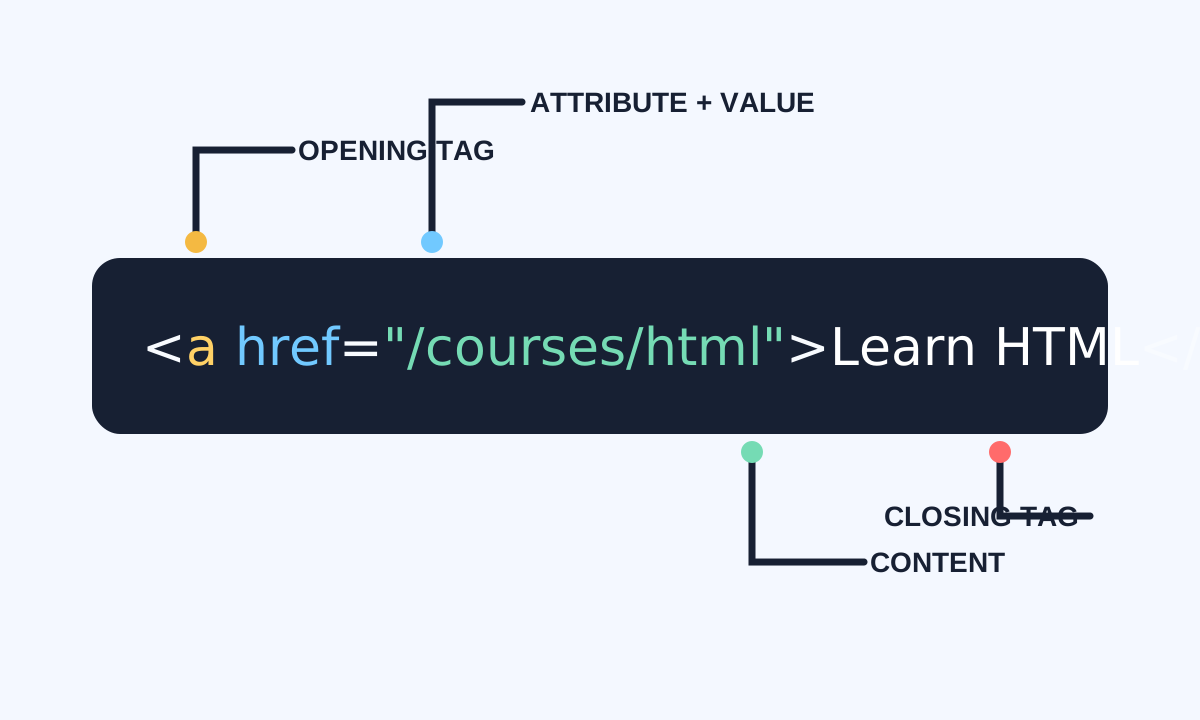
Attributes add information to an element: a link destination, image description, control name, language, identifier, or behavioral state. They belong in the opening tag and should be included only when they express a real relationship or setting.
Write names and values predictably
Use lowercase attribute names and quote values. Some attributes are global, such as id, class, lang, hidden, and data-*; others apply to specific elements, such as href on a, src and alt on img, or type on input.
<a class="primary-link" href="/courses/html" lang="en">
  Continue learning HTML
</a>

<img src="diagram.svg" alt="HTML element anatomy" width="640" height="360">- Separate attributes with spaces.
- Quote values consistently.
- Keep every id unique in the document.
- Use class for reusable groups and id for one unique target.
- Prefer native attributes before custom data-* values.
Recognize boolean and data attributes
A boolean attribute is true when present, regardless of the written value. required, disabled, checked, and hidden are common examples. Custom data-* attributes can store small element-specific values for scripts without inventing invalid attributes.
<form>
  <label for="topic">Topic</label>
  <input id="topic" name="topic" required>

  <button type="submit" data-action="save-draft">
    Save draft
  </button>
</form>